What readers usually run into
- 黄ばみ
- 斑点
- 水濡れ
- 薄い文字
Why archive scans are different
Old documents may contain yellowing, foxing, water marks, folds, stamps, marginal notes, and fragile paper texture. Some of those marks are noise for readability, but some are context. A prompt that removes every imperfection can make the result misleading.
Use a preservation-first prompt
Ask for darker readable text and reduced background distraction, but explicitly preserve stamps, handwriting, signatures, margin notes, and document structure. The cleaned page should remain recognizable as the same archive scan.
Good fits
This works for old letters, typed archive pages, family documents, historical packets, and scans where readability matters more than pristine appearance. It should not be used to claim professional conservation or forensic restoration.
Keep originals
Always keep the original scan. Use the cleaned PDF as a reading copy, and compare it with the original before quoting names, dates, places, or archival details.
How to decide what counts as noise
Archive scans are not ordinary office scans. Foxing, stamps, folds, water marks, and paper tone can be part of the document story. Before cleanup, decide what you want to reduce and what must remain. A good prompt can say "reduce distracting stains" while also saying "preserve stamps, notes, signatures, and paper character." That balance is more honest than asking for a perfectly clean page.
Before and after review for old documents
Review proper names, dates, place names, marginal notes, seals, and faint type. These details are often exactly what makes an archive page valuable. If the after image improves paragraph readability but weakens a stamp or handwritten note, decide which matters more for the use case. For research or family history, preserving context may be more important than visual neatness.
What not to claim
Do not describe the cleaned result as restored, authenticated, or historically corrected. It is a generated visual improvement for reading. If the document has legal, archival, or scholarly importance, keep the original scan attached to your workflow and label the cleaned copy as an enhanced reading version. That avoids overstating what visual cleanup can prove.
How to document the enhanced copy
For archives, family records, or research notes, keep a simple record of what changed: background reduced, text darkened, stains softened, or shadows cleaned. Store the original and enhanced PDF together. This makes it clear that the cleaned version is a reading aid. It also protects future readers from assuming that faint marks, missing details, or generated contrast choices are part of the original document.
Example prompt for archive scans
Use preservation language: "Conservatively improve readability, darken weak type, reduce distracting stains, and preserve paper tone, stamps, signatures, marginal notes, folds, and layout." Avoid words like "restore perfectly" or "remove all aging." Old document scans need a balance between readability and context. The cleaned copy should help someone read the page while still making it obvious that the source is historical.
Related example to compare
An old-document example should be judged by trust, not just cleanliness. The after image may reduce yellowing and make text easier to read, but stamps, folds, and marginal clues should remain. If the cleaned page looks disconnected from the original artifact, the prompt has gone too far. Preserve context even when reducing distraction, and keep the untouched scan beside it for citation, review, future comparison, and source transparency over time, especially in research, archives, or family records. Label the enhanced copy clearly before sharing it publicly.
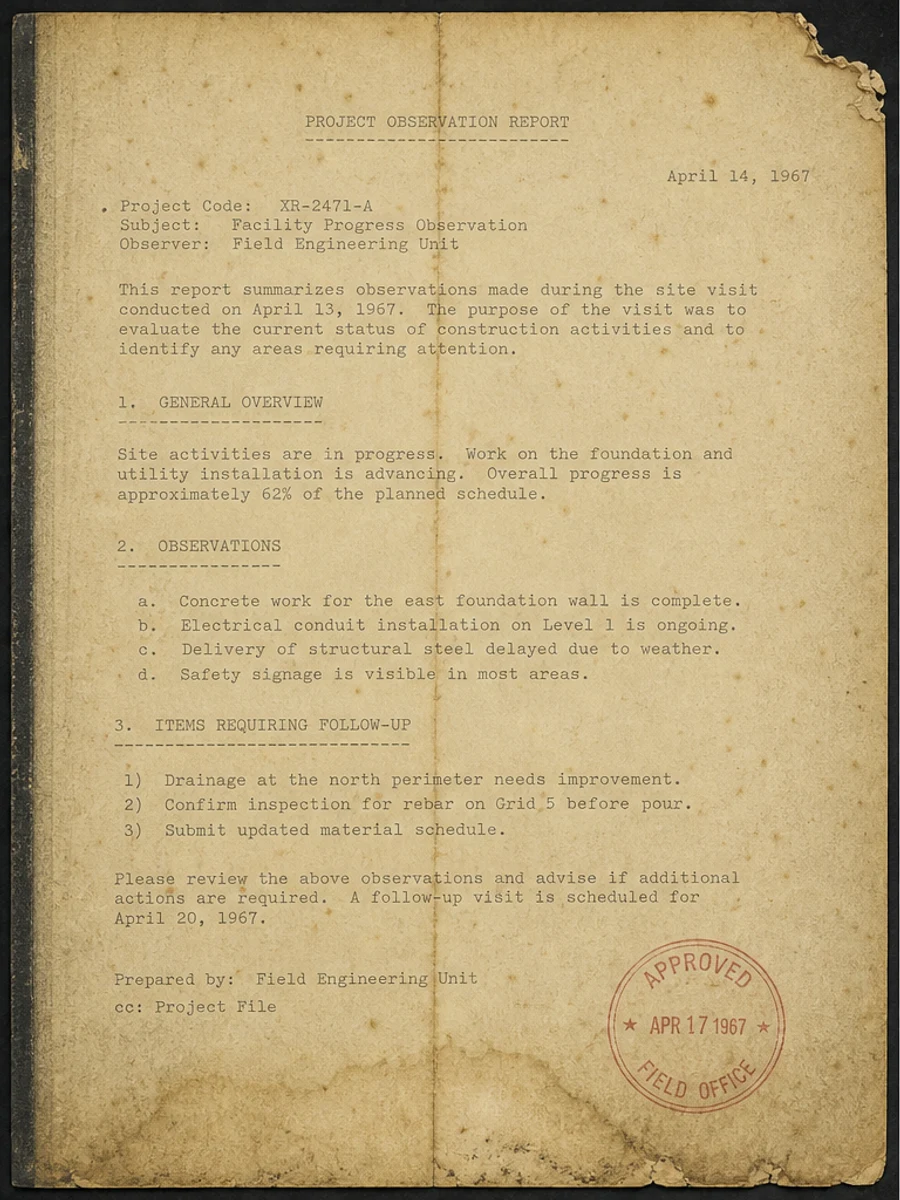
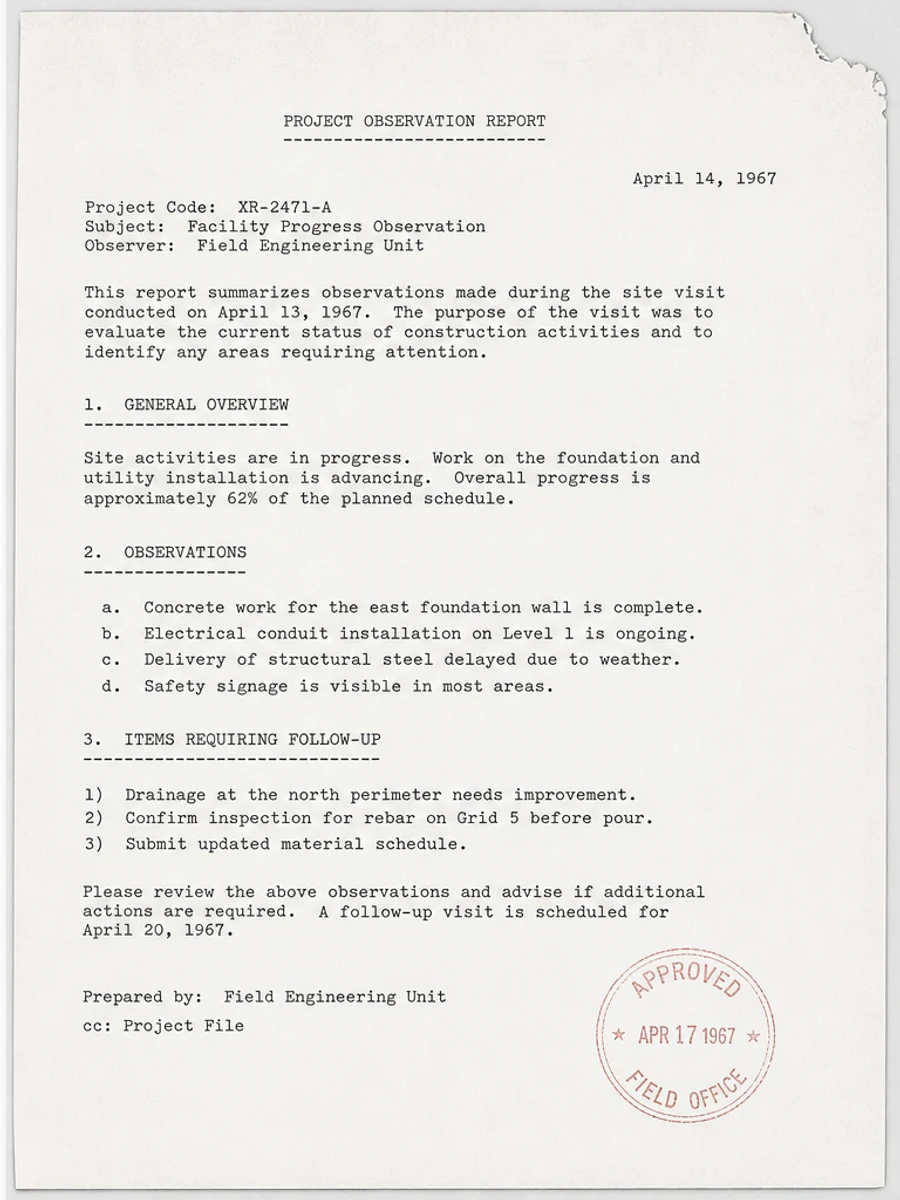
Inline before and after example: 古い文書スキャンを読みやすくする
Step-by-step tutorial
- スキャンPDFを開きます。
- まず「古いアーカイブスキャンの改善」が最も目立つページを選びます。
- 控えめな読みやすさ改善プロンプトを使います。
- 処理前後を比較します。
- 重要な文字、数字、日付、表を確認します。
- 結果に問題がなければ書き出します。
Prompts you can paste
01このスキャンPDFページを補正し、古いアーカイブスキャンの改善を改善してください。灰色背景、影、汚れ、ノイズを減らし、元のレイアウトを維持してください。
02読みやすさを少しだけ改善し、薄い文字を濃くし、背景を整え、手書き、印章、表、マークを残してください。
03控えめに処理し、OCR文字レイヤーは作らず、ページ構造を変えず、書き出し前に確認しやすくしてください。
When RedesignPDF is a good fit
- 文字が見えているスキャンPDFページ
- フラット化された画像ベース文書
- 視覚的な読みやすさを改善したいファイル
When it is not the right tool
- PDFの文字レイヤーを正確に編集する作業
- 公的・法的な認証レベルの復元
- 確認なしの自動データ抽出
よくある失敗
- 白くしすぎて細い線や薄い印が消える。
- 視覚補正をOCRや文字変換と混同する。
- 数字、日付、表、手書きを確認せずに書き出す。
Related reading
FAQ
RedesignPDFで古いアーカイブスキャンの改善を改善できますか?
スキャンページの見た目を改善できます。書き出す前に重要な文字、日付、金額、表を確認してください。
書き出したPDFの文字は選択できますか?
書き出しは画像ベースになる場合があります。検索可能または選択可能な文字が必要なら、別途OCRを使ってください。
公的な文書に使えますか?
注意が必要です。RedesignPDFは読みやすさの補正用で、認証済みの文書復元ではありません。
Conclusion
If your goal is a clearer scanned PDF while keeping the original layout, start with a conservative prompt, process one page, and review text, tables, numbers, handwriting, and stamps before exporting. If you need editable text, PDF-to-Word conversion, form filling, or precise text-layer editing, use OCR, a PDF editor, or a better rescan instead.
Upload scanned PDF