What readers usually run into
- 변색
- 얼룩
- 물자국
- 약한 글자
Why archive scans are different
Old documents may contain yellowing, foxing, water marks, folds, stamps, marginal notes, and fragile paper texture. Some of those marks are noise for readability, but some are context. A prompt that removes every imperfection can make the result misleading.
Use a preservation-first prompt
Ask for darker readable text and reduced background distraction, but explicitly preserve stamps, handwriting, signatures, margin notes, and document structure. The cleaned page should remain recognizable as the same archive scan.
Good fits
This works for old letters, typed archive pages, family documents, historical packets, and scans where readability matters more than pristine appearance. It should not be used to claim professional conservation or forensic restoration.
Keep originals
Always keep the original scan. Use the cleaned PDF as a reading copy, and compare it with the original before quoting names, dates, places, or archival details.
How to decide what counts as noise
Archive scans are not ordinary office scans. Foxing, stamps, folds, water marks, and paper tone can be part of the document story. Before cleanup, decide what you want to reduce and what must remain. A good prompt can say "reduce distracting stains" while also saying "preserve stamps, notes, signatures, and paper character." That balance is more honest than asking for a perfectly clean page.
Before and after review for old documents
Review proper names, dates, place names, marginal notes, seals, and faint type. These details are often exactly what makes an archive page valuable. If the after image improves paragraph readability but weakens a stamp or handwritten note, decide which matters more for the use case. For research or family history, preserving context may be more important than visual neatness.
What not to claim
Do not describe the cleaned result as restored, authenticated, or historically corrected. It is a generated visual improvement for reading. If the document has legal, archival, or scholarly importance, keep the original scan attached to your workflow and label the cleaned copy as an enhanced reading version. That avoids overstating what visual cleanup can prove.
How to document the enhanced copy
For archives, family records, or research notes, keep a simple record of what changed: background reduced, text darkened, stains softened, or shadows cleaned. Store the original and enhanced PDF together. This makes it clear that the cleaned version is a reading aid. It also protects future readers from assuming that faint marks, missing details, or generated contrast choices are part of the original document.
Example prompt for archive scans
Use preservation language: "Conservatively improve readability, darken weak type, reduce distracting stains, and preserve paper tone, stamps, signatures, marginal notes, folds, and layout." Avoid words like "restore perfectly" or "remove all aging." Old document scans need a balance between readability and context. The cleaned copy should help someone read the page while still making it obvious that the source is historical.
Related example to compare
An old-document example should be judged by trust, not just cleanliness. The after image may reduce yellowing and make text easier to read, but stamps, folds, and marginal clues should remain. If the cleaned page looks disconnected from the original artifact, the prompt has gone too far. Preserve context even when reducing distraction, and keep the untouched scan beside it for citation, review, future comparison, and source transparency over time, especially in research, archives, or family records. Label the enhanced copy clearly before sharing it publicly.
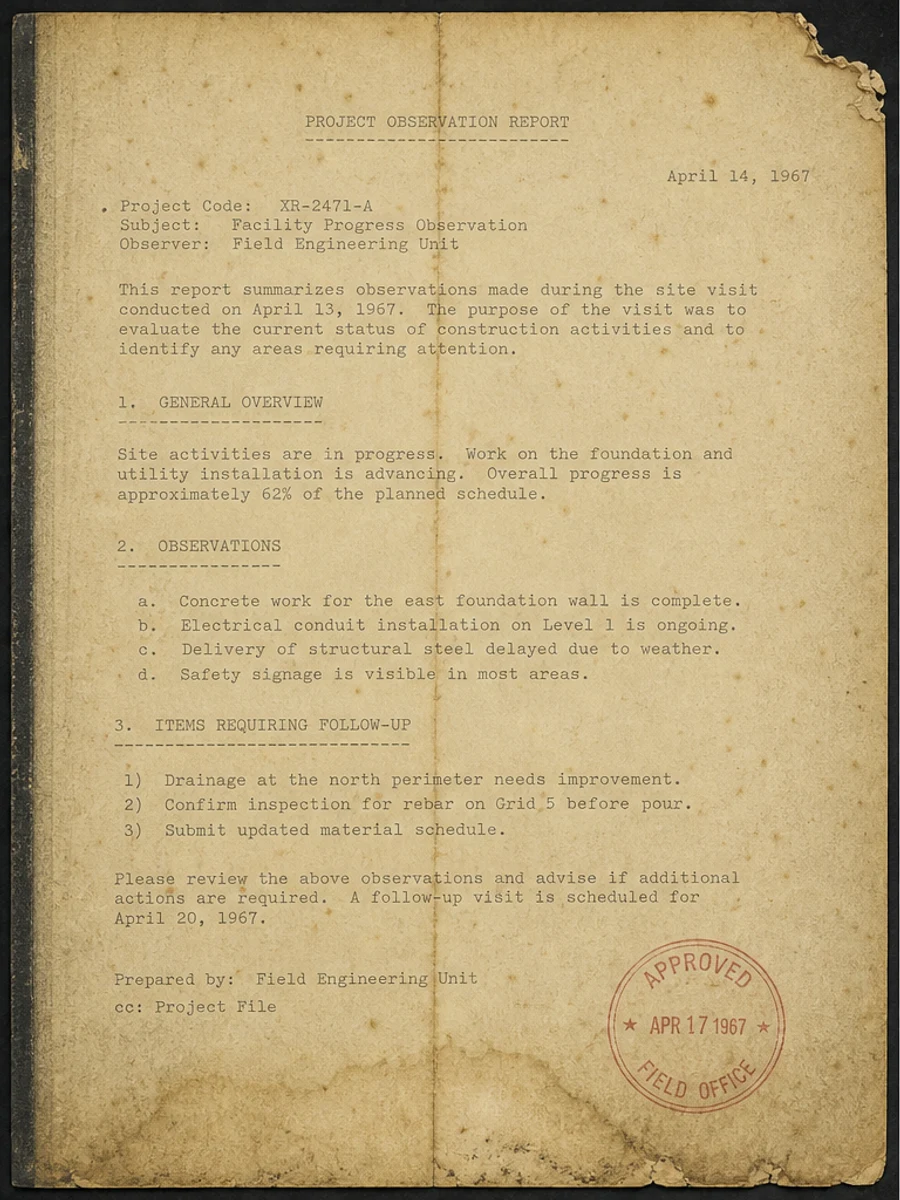
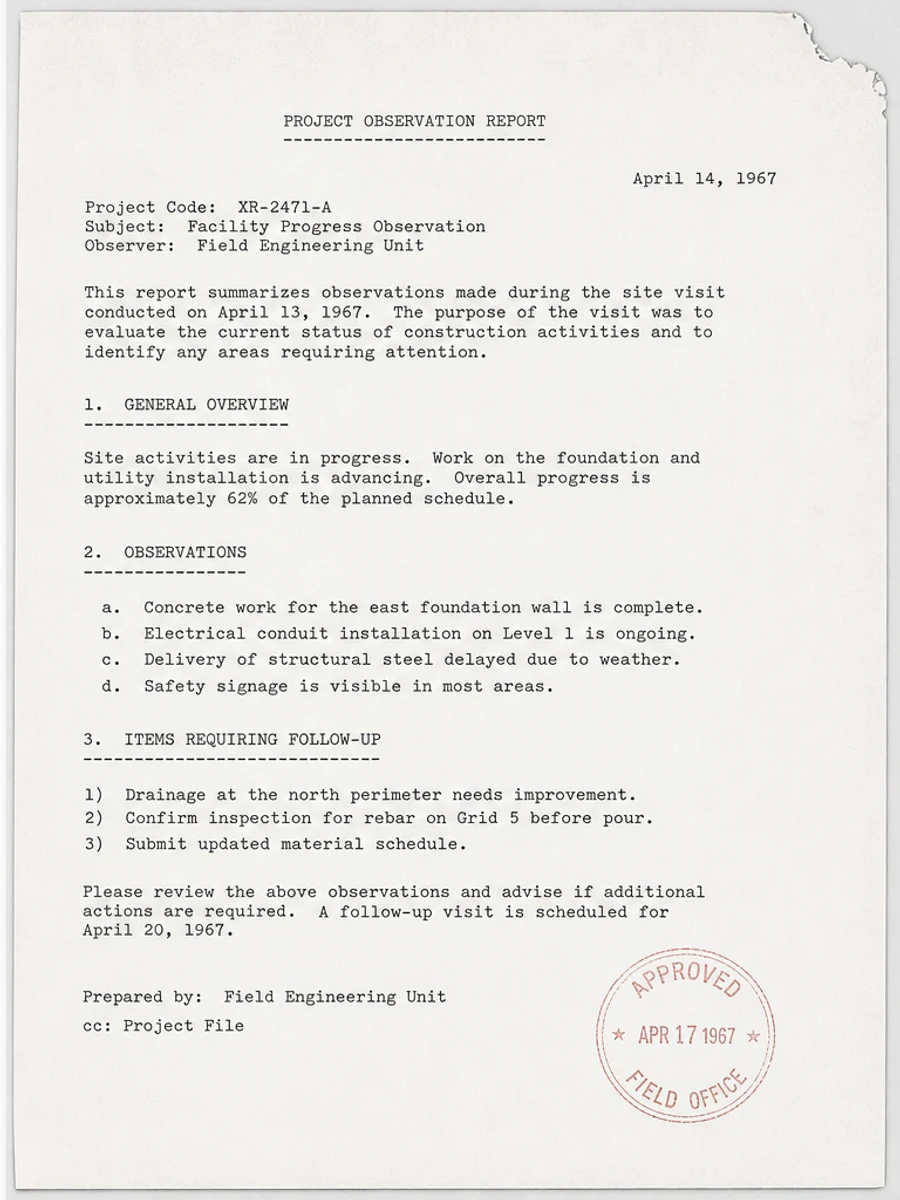
Inline before and after example: 오래된 문서 스캔 개선
Step-by-step tutorial
- 스캔 PDF를 엽니다.
- 먼저 “오래된 기록 스캔 개선” 문제가 가장 잘 보이는 페이지를 선택합니다.
- 보수적인 가독성 개선 프롬프트를 사용합니다.
- 전후 결과를 비교합니다.
- 중요한 텍스트, 숫자, 날짜, 표를 확인합니다.
- 결과가 적절할 때 내보냅니다.
Prompts you can paste
01이 스캔 PDF 페이지를 정리하고 오래된 기록 스캔 개선 문제를 개선하세요. 회색 배경, 그림자, 얼룩, 노이즈를 줄이고 원래 레이아웃을 유지하세요.
02가독성을 부드럽게 개선하세요. 흐린 텍스트를 진하게 하고 배경을 정리하며 필기, 도장, 표, 표시를 보존하세요.
03보수적으로 처리하고 OCR 텍스트 레이어를 만들지 않으며 페이지 구조를 바꾸지 마세요.
When RedesignPDF is a good fit
- 텍스트가 보이는 스캔 PDF 페이지
- 평면화되었거나 이미지 기반인 문서
- 시각적 가독성 향상이 목표인 파일
When it is not the right tool
- PDF 텍스트 레이어의 정밀 편집
- 인증된 법적 복원
- 검토 없는 자동 데이터 추출
흔한 실수
- 페이지를 지나치게 하얗게 만들어 얇은 선을 잃는 것.
- 시각 정리를 OCR이나 텍스트 변환으로 오해하는 것.
- 숫자, 날짜, 표, 필기를 확인하지 않고 내보내는 것.
Related reading
FAQ
RedesignPDF로 오래된 기록 스캔 개선 문제를 개선할 수 있나요?
스캔된 페이지 이미지의 시각적 품질을 개선할 수 있습니다. 내보내기 전에 중요한 텍스트, 날짜, 금액, 표를 확인하세요.
내보낸 PDF의 텍스트를 선택할 수 있나요?
내보내기는 이미지 기반일 수 있습니다. 검색 가능하거나 선택 가능한 텍스트가 필요하면 OCR을 별도로 사용하세요.
공식 문서에 적합한가요?
주의해서 사용해야 합니다. RedesignPDF는 가독성 개선용이며 인증된 문서 복원 도구가 아닙니다.
Conclusion
If your goal is a clearer scanned PDF while keeping the original layout, start with a conservative prompt, process one page, and review text, tables, numbers, handwriting, and stamps before exporting. If you need editable text, PDF-to-Word conversion, form filling, or precise text-layer editing, use OCR, a PDF editor, or a better rescan instead.
Upload scanned PDF