What readers usually run into
- Texto não selecionável
- OCR bagunçado
- PDF digitalizado não editável
- Layout muda após conversão
What a scanned PDF contains
A basic scanned PDF behaves like a picture. You can zoom, print, or crop it, but you usually cannot select words because the PDF does not know where letters are. The page may include shadows, gray backgrounds, skew, and compression from the capture process.
What OCR adds
OCR analyzes the image and tries to place searchable text over it. That can make text selectable, but it may introduce recognition errors, broken reading order, bad columns, and mistakes in tables. Poor scan quality often leads to poor OCR output.
Where RedesignPDF fits
Use RedesignPDF when the scan image itself needs to look cleaner before reading, sharing, printing, or running OCR elsewhere. It is a visual cleanup step, not a text extraction step, so you should keep OCR expectations separate.
Choosing the right workflow
If you need a human-readable image-based PDF, clean and export. If you need searchable text, clean the page first when needed, then use a dedicated OCR tool and review the recognized text against the scan.
How to tell which PDF you have
Open the PDF and try selecting a word. If the selection grabs letters and you can copy them into a text editor, the file probably has a text layer. If the entire page behaves like one image, it is probably a scanned PDF. Some files are mixed: they show a scan image but also have an OCR layer hidden above it. In those cases, the page may still look dirty even though search works.
Why cleanup and OCR are often confused
People often search for OCR when the real pain is readability. They cannot read the scan comfortably, so they assume searchable text is the solution. Sometimes it is, but many workflows only need a cleaner visual copy for review, printing, or sharing. RedesignPDF addresses that visual problem. It makes the page image clearer; it does not promise that every word becomes editable or searchable.
A safe combined workflow
When both readability and searchable text matter, keep the steps separate. First, clean the scan conservatively and export a readable image-based PDF. Second, run OCR in a dedicated OCR tool. Third, check OCR output against the original and cleaned page, especially for numbers, names, columns, and punctuation. This keeps visual enhancement from being mistaken for text verification.
Decision rule for choosing cleanup or OCR first
If the page is hard for a person to read, clean the scan image first. If the page is already visually clear but you need search, copy, or screen-reader access, go directly to OCR. If you need to change words, fill form fields, or edit a PDF text layer, neither visual cleanup nor basic OCR is enough by itself. Choosing the job correctly prevents unrealistic prompts and avoids exporting a file that solves the wrong problem.
What to tell stakeholders
When sharing the output, describe it accurately. Say that the PDF page image was cleaned for readability, not that it was converted into an editable document. If OCR was performed later, mention that OCR results were reviewed separately. This distinction matters in teams because one person may expect a readable PDF, another may expect searchable text, and another may expect editable layout. The file type alone does not answer those expectations.
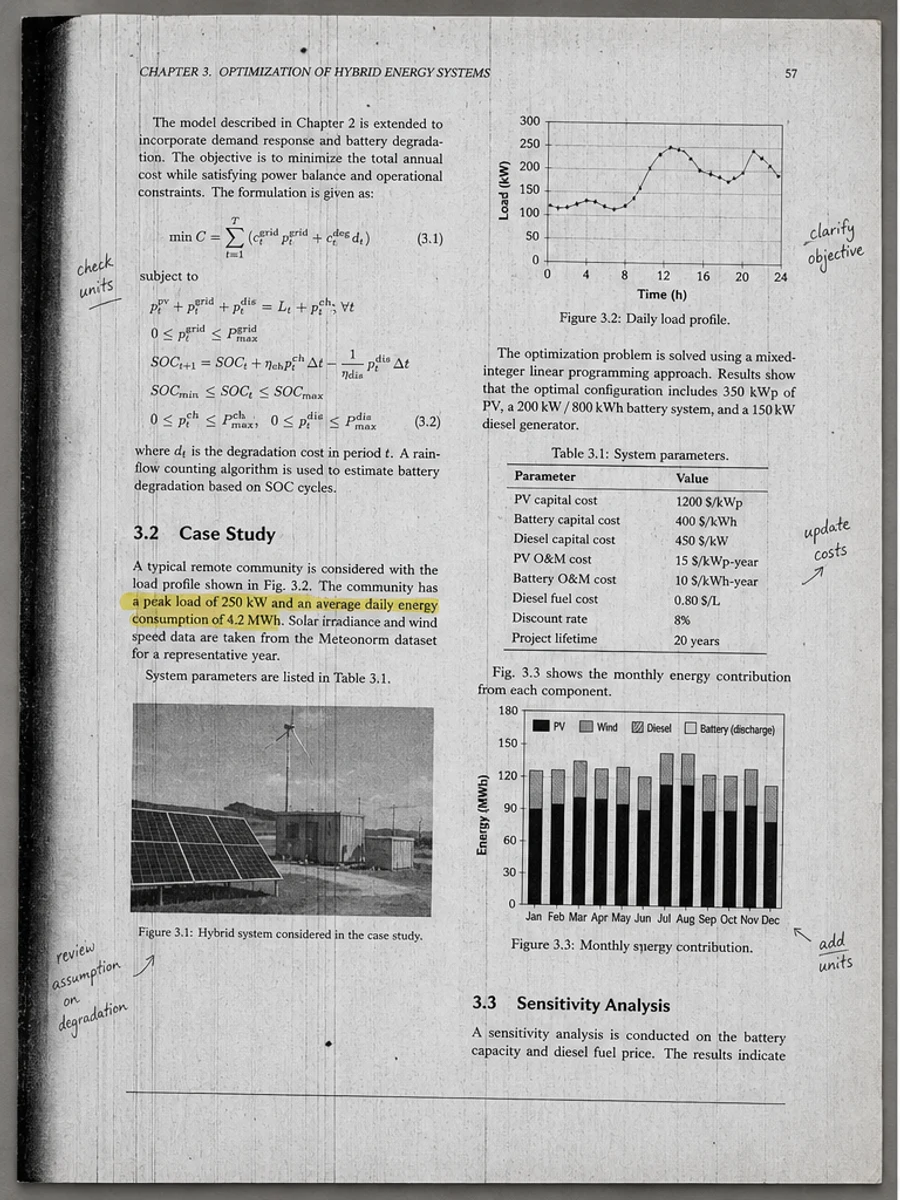
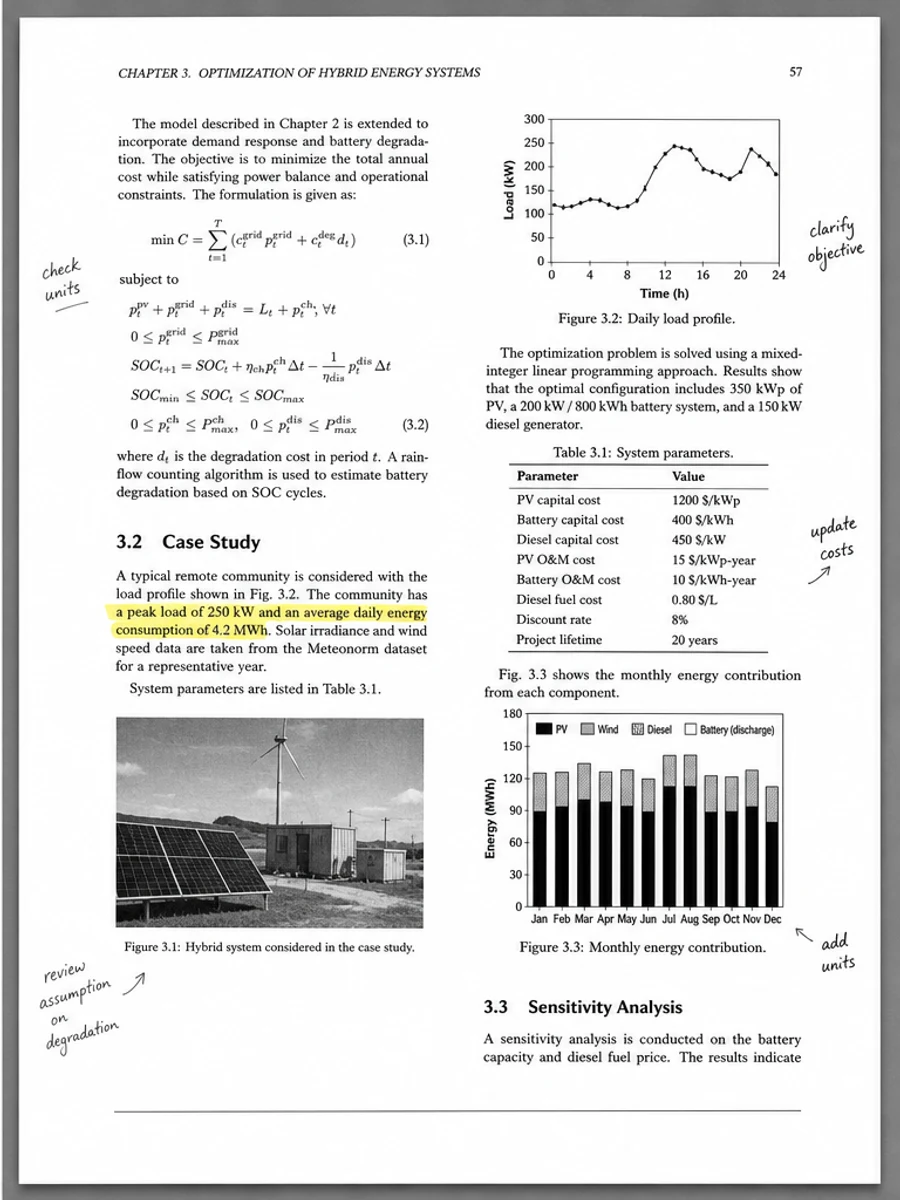
Inline before and after example: Melhorar uma digitalização de artigo acadêmico
Step-by-step tutorial
- Abra o PDF digitalizado.
- Escolha primeiro uma página em que “diferença entre PDF digitalizado e OCR” apareça claramente.
- Use um prompt conservador de legibilidade.
- Compare antes e depois.
- Revise textos, números, datas e tabelas importantes.
- Exporte quando o resultado for aceitável.
Prompts you can paste
01Limpe esta página de PDF digitalizado e corrija diferença entre PDF digitalizado e OCR; reduza fundo cinza, sombras, manchas e ruído mantendo o layout original.
02Melhore levemente a legibilidade: escureça texto apagado, limpe o fundo e preserve escrita manual, carimbos, tabelas e marcas.
03Use tratamento conservador, sem criar camada OCR e sem alterar a estrutura da página.
When RedesignPDF is a good fit
- Páginas PDF digitalizadas com texto visível
- Documentos achatados ou baseados em imagem
- Arquivos cujo objetivo é legibilidade visual
When it is not the right tool
- Edição precisa da camada de texto do PDF
- Restauração legal certificada
- Extração automática de dados sem revisão
Erros comuns
- Clarear demais a página até perder linhas finas.
- Confundir limpeza visual com OCR ou conversão de texto.
- Exportar sem revisar números, datas, tabelas e escrita manual.
Related reading
FAQ
O RedesignPDF pode corrigir diferença entre PDF digitalizado e OCR?
Pode melhorar a imagem visível da página digitalizada. Revise texto, datas, valores e tabelas antes de exportar.
O PDF exportado terá texto selecionável?
A exportação pode ser baseada em imagem. Use OCR separadamente se precisar de texto pesquisável ou selecionável.
Serve para documentos oficiais?
Use com cautela. RedesignPDF melhora legibilidade, não é restauração certificada de documentos.
Conclusion
If your goal is a clearer scanned PDF while keeping the original layout, start with a conservative prompt, process one page, and review text, tables, numbers, handwriting, and stamps before exporting. If you need editable text, PDF-to-Word conversion, form filling, or precise text-layer editing, use OCR, a PDF editor, or a better rescan instead.
Upload scanned PDF